
What’s a State Machine and why it’s needed
By Connor Llewellyn - Enemy & State Machine Programmer
Our game Esquelito has a big focus on our enemies, with the players objective to go through levels and heal them of their gloom. So, a big importance was to have many different enemy types with different move and attacking sets. In order to make that happen I needed a way to dynamically and easily have an enemy switch into different states. By 'states,' I mean giving an object different sets of instructions for its actions. For example, a player might transition from an idle state to a walking state when a certain condition is met, such as a movement key being pressed. While researching ways to achieve this, I found a solution: a Finite State Machine.
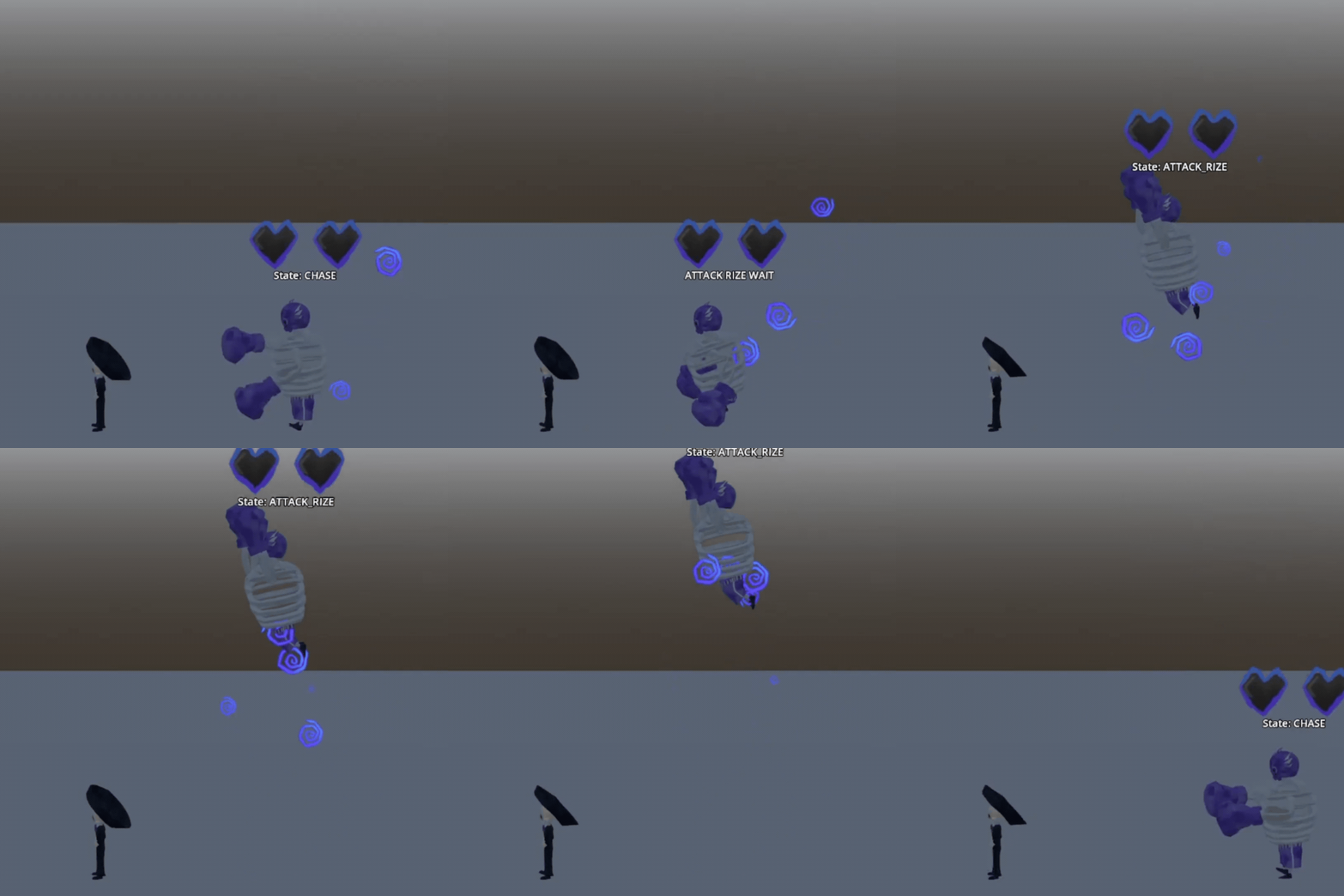
An example of our Luchador enemy switching states.
A Finite State Machine is a method for organizing and separating your code into distinct states, each with its own code. The system ensures that only one state runs at a time, and explicit rules define when and how transitions between states occur, preventing overlap or conflicts.
A Finite State Machine is set up with a parentnode whosescript that’s designated as the State Machine, and a virtual class called State. The virtual class State contains a signal called “finished” to be used when a state finishes. It also contains a function called “exit” that is used to clean up, and an “enter” function that is used to enter a state. The State Machine script contains a function that transitions to the next state when the state emits a signal. Since this is node-based, once ready, we loop through the child nodes, connecting each finished signal to the function. The function transitions by exiting the state, getting the path to the new state, and entering that specific state.
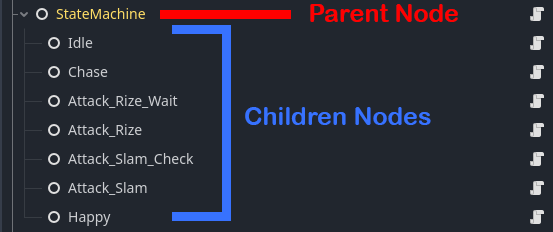
An example of how the state machine nodes are laid out.
Since I have multiple enemies that each need different states, I created a subclass that extends the base State class for each enemy. This subclass contains the @export variables for each state node, for example, IDLE, ATTACK, CHASE, etc. That way, we can have the State scripts, which are children of the subclass for a particular enemy, access and transition to all the different states. Each state will have its own node under an enemy’s “State Machine” parent node. All the state nodes will have their own script for that specific state, which can trigger transitions to other states using the “finished” signal.
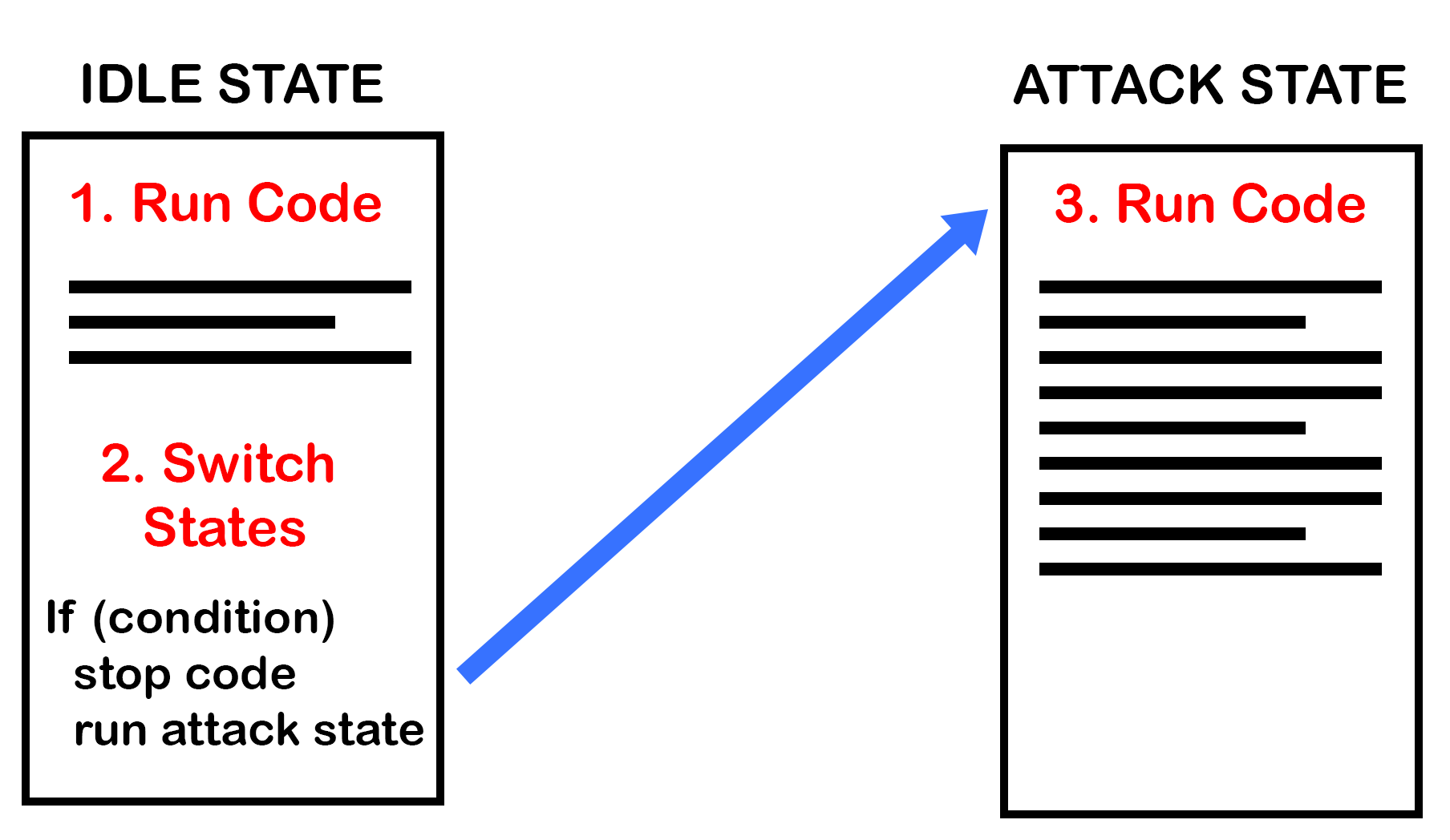
A basic mockup of what switching to a different state script looks like.
Creating a Finite State Machine can make the process of having a game object perform specific actions more manageable. We’re looking forward to using it in new ways as we approach release, including new boss and enemy behaviors that we can’t wait to share. In the meantime, don’t forget to “Spread Joy!”